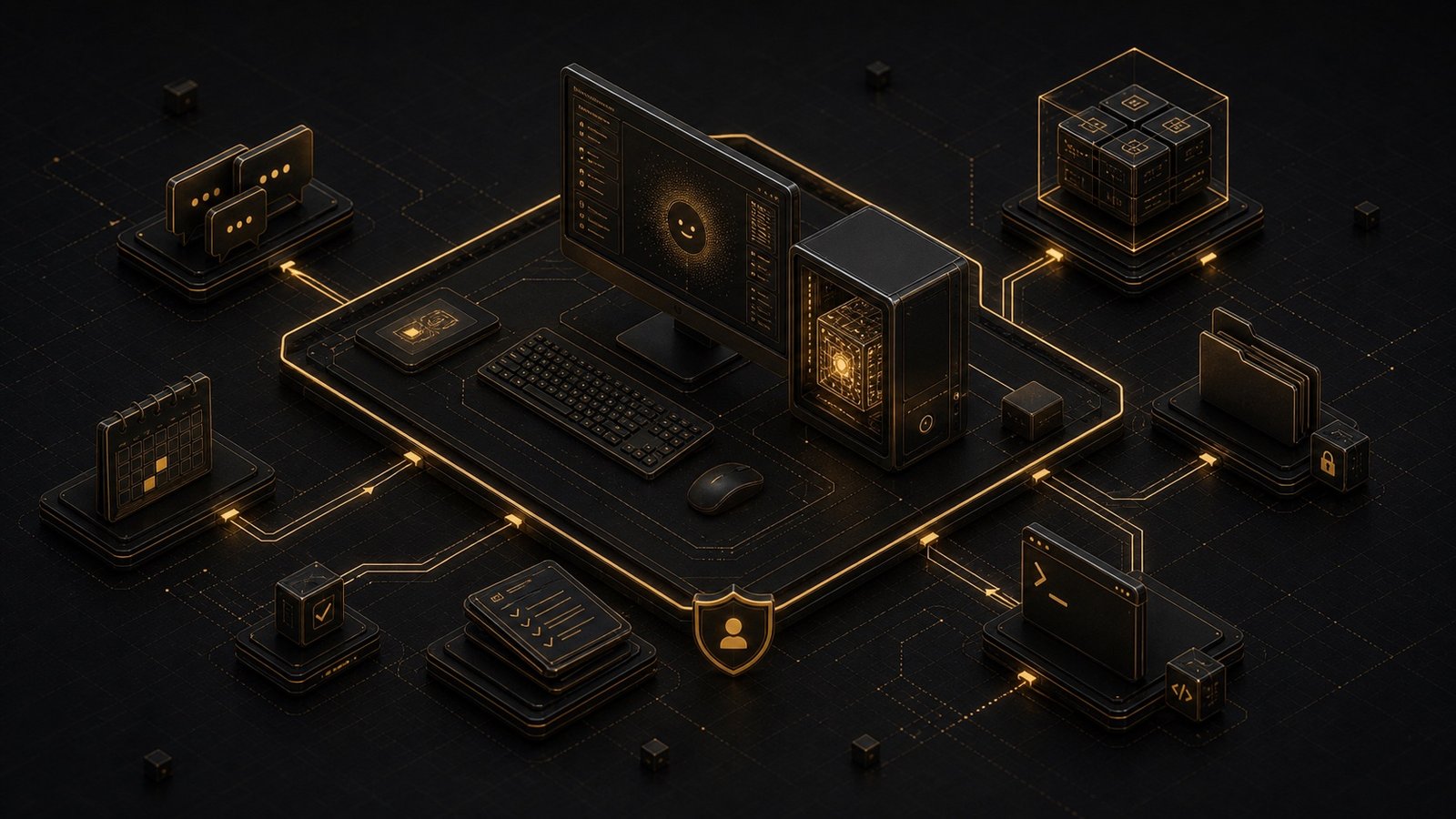
Most AI assistants live in a browser tab. You open ChatGPT, type a question, get an answer, and close the tab. The conversation ends. The context disappears. Tomorrow, you start from scratch.
OpenClaw is different. It runs on your computer - not in the cloud, not in someone else's data center, but on the machine sitting on your desk. It connects to the messaging apps you already use. And instead of waiting for you to ask questions, it watches, learns, and acts on your behalf.
This is not a chatbot. This is a digital employee that never clocks out.
What Makes OpenClaw Different
It runs locally. OpenClaw is open-source software you install on your own hardware. Your conversations, your files, your API keys - they all stay on your machine. No company is reading your data. No terms of service can change overnight and lock you out. You own the system.
It works where you already are. You do not need to learn a new interface. OpenClaw connects to WhatsApp, Telegram, Slack, Discord, and iMessage. You message it the same way you message a colleague. It responds in the same thread. The friction between "I should automate this" and "I actually did it" collapses to zero.
It acts without being asked. Most AI tools are reactive. You prompt, they respond. OpenClaw is proactive. It can monitor your inbox, check flight prices, scan GitHub for trending repositories, and message you first when something requires your attention. It runs background tasks on a schedule. It does not wait for permission every time.
It improves itself. When OpenClaw encounters a task it cannot handle, it can write its own code to solve the problem. Users report asking their assistant to integrate with a new API, and the system figures out the authentication, writes the integration script, and hot-reloads the new capability - all without human intervention. The assistant teaches itself.
It coordinates multiple agents. You can run several instances of OpenClaw, each with a different role. One might handle research. Another writes code. A third reviews the output and suggests improvements. They communicate with each other, pass files back and forth, and solve problems collaboratively. You orchestrate a team of AI workers, not a single tool.
The Architecture That Enables This
OpenClaw is built on three core layers that work together to create an always-on, context-aware assistant.
The Communication Gateway sits between you and the AI. When you send a message via Telegram, the gateway translates that platform-specific format into a universal structure the agent understands. It handles text, images, voice notes, and files. It manages multiple channels simultaneously. And because it is always running, the agent can initiate conversations - not just respond to them.
The Agent Loop is where the intelligence lives. Unlike a standard language model that generates text and stops, OpenClaw operates in a continuous Think-Act-Observe cycle. It receives a request, breaks it into steps, executes those steps using tools, observes the results, and adjusts its approach. If a web scraping task fails, it tries a different method. If an API returns an error, it reads the documentation and fixes the request. The loop does not end until the task is complete.
The Skills System defines what the agent can do. Skills are JSON-defined functions that connect the language model to real-world actions. A "Browser Skill" lets it navigate websites, click buttons, and fill forms. A "Terminal Skill" gives it shell access to run commands, read logs, and deploy code. A "Calendar Skill" connects to your Google Calendar to schedule meetings and send reminders. The system is extensible - you can add new skills, and the agent can write them for itself.
This architecture is what separates OpenClaw from assistants that only generate text. It does not just suggest solutions. It implements them.
Five Niche Use Cases That Show What Is Possible
1. Autonomous Insurance Appeals
A user received a rejection letter from their insurance company. Instead of manually researching the appeals process, drafting a response, and navigating the bureaucracy, they forwarded the email to their OpenClaw assistant.
The system read the rejection, identified the policy number, searched the insurance company's website for the appeals procedure, located the relevant policy documents stored on the user's computer, and drafted a formal rebuttal citing specific clauses. It then messaged the user on WhatsApp: "I have drafted an appeal for your insurance claim. Should I send it, or do you want to review the draft on your laptop first?"
The user reviewed, approved, and the assistant sent the email. Two weeks later, the claim was reinstated. The assistant had turned a multi-hour research and writing task into a five-minute approval decision.
2. Biometric-Driven Home Automation
One user integrated OpenClaw with their WHOOP fitness tracker and a Winix air purifier. The assistant monitors sleep quality, recovery scores, and strain levels throughout the day. When recovery drops below a threshold, it adjusts the air purifier settings to optimize air quality for better sleep. When strain is high, it suggests reducing evening commitments and adjusts the thermostat for cooler temperatures.
The system is not following a static rule. It is learning the user's patterns and making real-time adjustments based on biometric feedback. The user does not program the logic. They describe the goal, and the assistant figures out the implementation.
3. DevOps Incident Response
A developer connected OpenClaw to their Sentry error monitoring system via webhook. When the production server crashed at 2 AM, the webhook triggered the assistant. It logged into the server via terminal, read the error logs, identified a memory leak in the authentication service, restarted the service, and cleared the cache.
Then it messaged the developer on Slack: "The server crashed due to a memory leak in the auth service. I have restarted the service and cleared the cache. Want me to open a pull request with a fix for the leak?"
The developer woke up to a running server and a proposed solution. The assistant had handled the incident, documented the root cause, and prepared the fix - all while the developer slept.
4. Research Synthesis Across Multiple Sources
A consultant asked their OpenClaw assistant to compile a market analysis on AI agent frameworks. The assistant searched GitHub for trending repositories, read the README files, visited the official documentation sites, extracted key features and pricing models, and cross-referenced user reviews on Reddit and Hacker News.
It then generated a structured Markdown report with comparison tables, linked references, and a summary of strengths and weaknesses for each framework. The entire process - from initial search to final report - took twelve minutes. The consultant reviewed, made minor edits, and sent it to the client.
The assistant had done the work a junior analyst would spend hours on, and it did it while the consultant was in a meeting.
5. Content Pipeline from Idea to Publication
A content creator uses OpenClaw to manage their entire publishing workflow. They send a voice note via Telegram with a rough idea for a blog post. The assistant transcribes the audio, expands the idea into an outline, researches supporting data, drafts the article, generates a cover image using an AI image tool, and publishes the post to their WordPress site.
The creator reviews the draft, makes edits, and approves. The assistant handles everything else - research, writing, image generation, formatting, and publication. What used to take an afternoon now takes twenty minutes.
When OpenClaw Is Not the Right Tool
OpenClaw is powerful, but it is not for everyone. It requires technical setup. You need to run it on a machine that stays on, configure API keys, and connect it to your messaging apps. If you are not comfortable with command-line tools, the initial setup will be frustrating.
It also requires trust. You are giving an AI system access to your email, your calendar, your files, and your terminal. If you are not careful with permissions, the assistant can make mistakes that have real consequences. One user reported their assistant "accidentally started a fight with Lemonade Insurance because of a wrong interpretation of my response." The claim was eventually resolved, but the risk is real.
And it is not a plug-and-play SaaS product. There is no customer support team. No onboarding wizard. No guarantee that updates will not break your setup. You are responsible for maintaining the system. If that sounds like a burden rather than an opportunity, a cloud-based assistant like ChatGPT or Claude is a better fit.
The Shift from Tool to Teammate
The most common reaction from people who use OpenClaw for the first time is not "this is useful." It is "this feels different."
One user described it as "the first time I have felt like I am living in the future since the launch of ChatGPT." Another said, "It is running my company." A third called it "an iPhone moment."
The difference is agency. Most AI tools are assistants in the traditional sense - they help you do your work faster. OpenClaw does the work. You delegate, it executes, and you review. The relationship is closer to managing an employee than using software.
This shift has implications. If the assistant can handle email triage, meeting prep, and research synthesis, what does that free you to do? If it can monitor systems, respond to incidents, and propose fixes, how does that change your role as a developer or operator? If it can write, publish, and distribute content, what does that mean for creative work?
These are not hypothetical questions. People are already running businesses, managing workflows, and building products with OpenClaw as a core team member. The assistant is not replacing them. It is amplifying what they can accomplish in a day.
What This Means for Personal AI Systems
OpenClaw is not the only tool in this category, but it points to the next shape of personal AI: not a better chatbot, but an always-on, context-aware, self-improving system that lives on your infrastructure and acts on your behalf.
The companies building walled-garden AI assistants are betting that convenience will win. OpenClaw is betting that control will win. That people will choose to run their own systems, manage their own data, and build their own workflows - even if it requires more effort upfront.
Early adopters are proving that bet correct. They are not using OpenClaw because it is easier than ChatGPT. They are using it because it is more powerful, more private, and more aligned with how they actually work.
If you have been waiting for AI to move beyond chat interfaces and into real automation, this is what that looks like. The assistant does not live in a browser tab. It lives on your computer. And it is always working.
Next Steps
If you are ready to build your own always-on AI assistant, start with the fundamentals. Define the workflows that consume the most time. Identify the tools and data sources the assistant needs to access. And decide whether you value control and privacy enough to manage your own infrastructure.
OpenClaw is one implementation. The principles - local execution, proactive automation, self-improvement, and multi-agent coordination - apply to any personal AI system you build. The question is not whether this future arrives. The question is whether you will be early or late to it.