You've mastered prompting. You know how to get good outputs from ChatGPT, Claude, and other AI tools. But you're still doing it manually. Every. Single. Time.
That's the bottleneck.
The next level isn't better prompts. It's automated workflows that run without you.
The Prompt Trap
Most people get stuck here:
- Open ChatGPT
- Type a prompt
- Review output
- Copy to wherever it's needed
- Repeat tomorrow
This works for one-off tasks. It doesn't scale. If you're doing the same prompt more than twice a week, you should automate it.
What Is an AI Workflow?
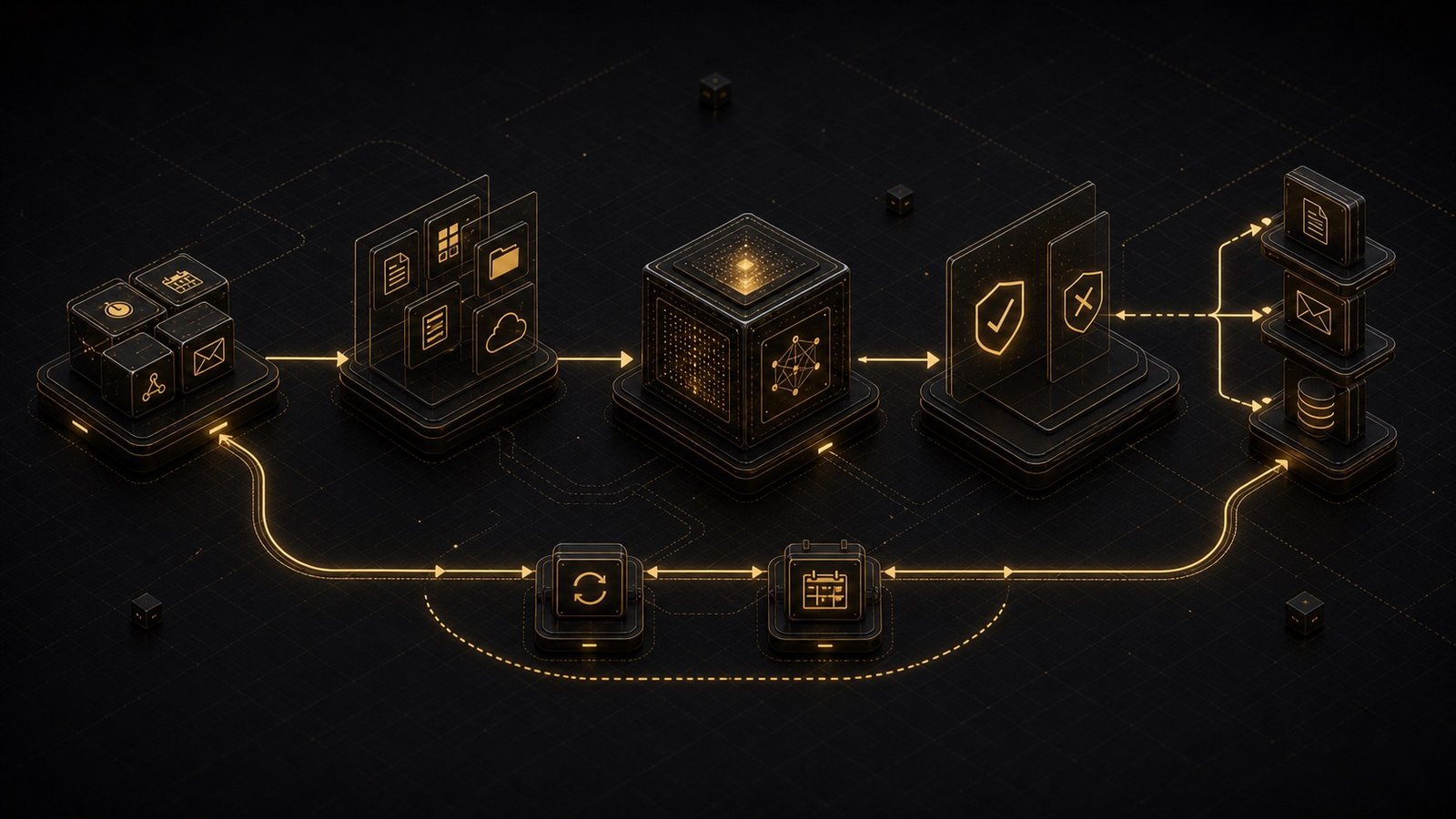
An AI workflow is a sequence of steps that:
- Triggers automatically (on schedule or event)
- Gathers necessary inputs
- Runs AI operations
- Delivers outputs to the right place
Example workflow: Daily email summary
Trigger: Every morning at 8am
Input: Fetch unread emails from inbox
AI Operation: Summarize and prioritize
Output: Send summary to Slack
You never touch it. It just runs.
The Anatomy of an Automated Workflow
Every AI workflow has four components:
1. Trigger
What starts the workflow?
- Time-based: Every morning, every Monday, etc.
- Event-based: New email, new file uploaded, form submitted
- Manual: Button click, API call
2. Input Collection
What data does the AI need?
- Fetch from APIs (email, calendar, database)
- Read from files (documents, spreadsheets)
- Accept from user (form inputs, voice commands)
3. AI Processing
What does the AI do with the inputs?
- Summarize
- Analyze
- Generate
- Classify
- Extract
4. Output Delivery
Where does the result go?
- Send to Slack/email
- Save to database
- Update document
- Trigger another workflow
Building Your First Automated Workflow
Let's build a real example: Weekly meeting prep Goal: Every Monday morning, prepare a briefing doc for the week's meetings.
Step 1: Trigger
# Runs every Monday at 7am
schedule.every().monday.at("07:00").do(run_meeting_prep)
Step 2: Input Collection
def get_meeting_inputs():
    # Fetch this week's calendar events
    meetings = calendar_api.get_events(
        start=datetime.now(),
        end=datetime.now() + timedelta(days=7)
    )

    # For each meeting, gather context
    meeting_data = []
    for meeting in meetings:
        attendees = meeting.attendees
        past_meetings = get_past_meetings_with(attendees)
        related_docs = search_documents(meeting.title)

        meeting_data.append({
            "title": meeting.title,
            "time": meeting.start_time,
            "attendees": attendees,
            "past_context": past_meetings,
            "docs": related_docs
        })

    return meeting_data
Step 3: AI Processing
def generate_meeting_brief(meeting_data):
    prompt = f"""
    Generate a meeting briefing document for the following meetings:

    {json.dumps(meeting_data, indent=2)}

    For each meeting, include:
    1. Meeting purpose and attendees
    2. Key context from past interactions
    3. Relevant documents to review
    4. Suggested talking points

    Format as a structured document.
    """

    response = ai_client.chat.completions.create(
        model="gpt-4",
        messages=[{"role": "user", "content": prompt}]
    )

    return response.choices[0].message.content
Step 4: Output Delivery
def deliver_brief(brief_content):
    # Save to Google Doc
    doc = docs_api.create_document(
        title=f"Meeting Brief - Week of {datetime.now().strftime('%Y-%m-%d')}",
        content=brief_content
    )

    # Send notification
    slack_api.send_message(
        channel="#general",
        text=f"📅 Your weekly meeting brief is ready: {doc.url}"
    )
Complete Workflow:
def run_meeting_prep():
    meeting_data = get_meeting_inputs()
    brief = generate_meeting_brief(meeting_data)
    deliver_brief(brief)

# Schedule it
schedule.every().monday.at("07:00").do(run_meeting_prep)
Now it runs automatically. Every Monday. Without you.
Common Workflow Patterns
Here are workflows I've built for clients:
1. Content Repurposing
- Trigger: New blog post published
- AI: Generate Twitter thread, LinkedIn post, email newsletter
- Output: Save drafts to content calendar
2. Customer Support Triage
- Trigger: New support ticket
- AI: Classify urgency, suggest response
- Output: Route to appropriate team member
3. Research Synthesis
- Trigger: Weekly schedule
- AI: Summarize saved articles, extract key insights
- Output: Generate weekly research digest
4. Code Review Assistant
- Trigger: Pull request opened
- AI: Review code, suggest improvements
- Output: Post comments on PR
5. Sales Follow-Up
- Trigger: Meeting ends (calendar event)
- AI: Draft follow-up email based on meeting notes
- Output: Save to drafts for review
The Workflow Stack
You don't need to build everything from scratch. Here's a practical stack:
Orchestration:
- n8n (open-source workflow automation)
- Zapier (no-code, easy to start)
- Custom Python (full control)
AI Layer:
- OpenAI API (GPT-4, embeddings)
- Anthropic API (Claude)
- Local models (Llama, Mistral)
Integrations:
- Google Workspace (Docs, Calendar, Gmail)
- Slack (notifications)
- Airtable/Notion (database)
- GitHub (code, issues)
Error Handling in Automated Workflows
Automation means things will break when you're not watching. You need:
1. Retries
def run_with_retry(func, max_attempts=3):
    for attempt in range(max_attempts):
        try:
            return func()
        except Exception as e:
            if attempt == max_attempts - 1:
                raise
            time.sleep(2 ** attempt)  # Exponential backoff
2. Fallbacks
def generate_with_fallback(prompt):
    try:
        return gpt4_generate(prompt)
    except Exception:
        # Fall back to Claude if GPT-4 fails
        return claude_generate(prompt)
3. Notifications
def notify_on_failure(workflow_name, error):
    slack_api.send_message(
        channel="#alerts",
        text=f"⚠️ Workflow '{workflow_name}' failed: {error}"
    )
4. Logging
import logging

logging.basicConfig(level=logging.INFO)
logger = logging.getLogger(__name__)

def run_workflow():
    logger.info("Starting workflow")
    try:
        result = process()
        logger.info(f"Workflow completed: {result}")
    except Exception as e:
        logger.error(f"Workflow failed: {e}")
        raise
Measuring Workflow Impact
How do you know if automation is working? Track:
- Time saved: How long would this take manually?
- Error rate: How often does it fail?
- Usage: How often does it run?
- Output quality: Are the results useful?
Example metrics:
workflow_metrics = {
    "meeting_prep": {
        "runs_per_week": 1,
        "time_saved_per_run": 45,  # minutes
        "success_rate": 0.95,
        "user_satisfaction": 4.5  # out of 5
    }
}

# Calculate ROI
weekly_time_saved = (
    workflow_metrics["meeting_prep"]["runs_per_week"] *
    workflow_metrics["meeting_prep"]["time_saved_per_run"]
)
# 45 minutes/week = 39 hours/year
If a workflow saves 45 minutes per week, that's 39 hours per year. Worth automating.
When NOT to Automate
Automation isn't always the answer. Don't automate if:
- The task is rare (less than weekly)
- The output needs heavy editing (defeats the purpose)
- The inputs are inconsistent (too much error handling)
- The process is still evolving (automate once it's stable)
Start with high-frequency, low-variability tasks.
The Compounding Effect
One automated workflow saves time. Ten automated workflows transform how you work. After 6 months of building workflows, a typical client has:
- 10-15 automated workflows
- 10-20 hours saved per week
- Significantly reduced cognitive load
That's the goal. Not one big automation. Many small ones that compound.
Want help building automated AI workflows for your specific processes? Let's talk.